System Statistics
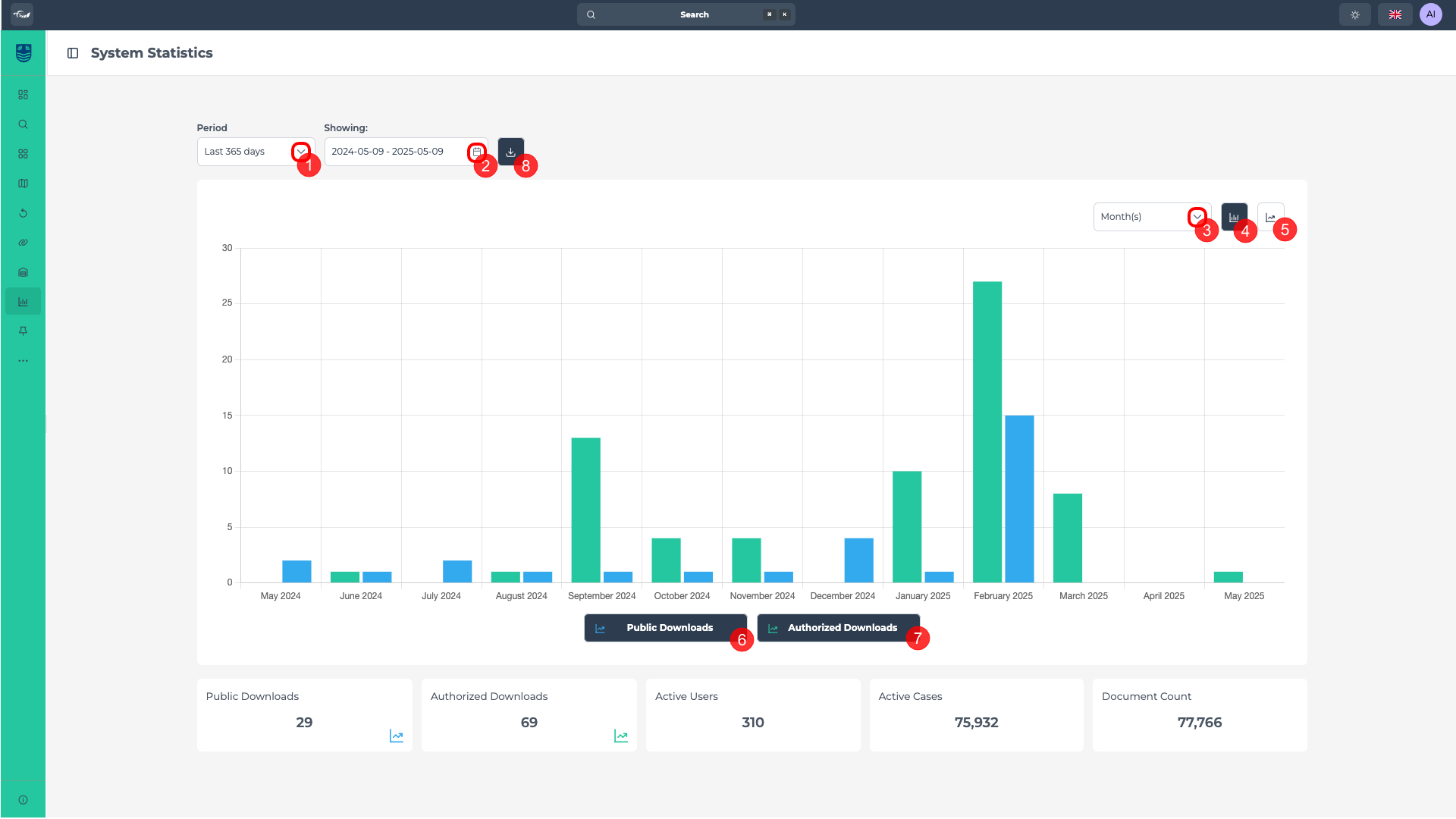
On this page you can see an overview of key statistics related to document activity and user engagement. You can customize the time period for which these statistics are displayed, allowing for a more targeted analysis. For example, selecting "This month" will display data from the 1st of the current month up to today's date, while "Last month" will show the full previous calendar month.
At the bottom of the page, you'll see a summary of the total values across the selected date range, including figures such as Public Downloads, Authorized Downloads, Active Users, Active Cases, and Document Count. These metrics offer insight into overall usage and system activity.
This page is built to give you an easy way to explore and understand the data. You can track how things are changing over time, focus on specific types of downloads or user activity, and compare different time periods. With a few clicks, you can customize what you see and even download the results if you need to share or save them.
Navigate statistics results
Click here to select the period of time. (1)
"This month" refers to the period starting from the 1st day of the current month up to today's date. Alternatively, "last month" refers to the entire previous calendar month, from the 1st to the last day.
Click here to select a custom period of time (2)
Click here to choose how you want the data displayed. (3)
Click here (4) or here (5) to choose the type of chart.
Click here to disable public downloads results or click again to enable it. (6)
Click here to disable authorised downloads results or click again to enable it. (7)
You can see all download results by keeping both public and authorised results enabled, or see just one at a time.
Click here to download the results as a PDF picture locally. (8)